01
Home overview
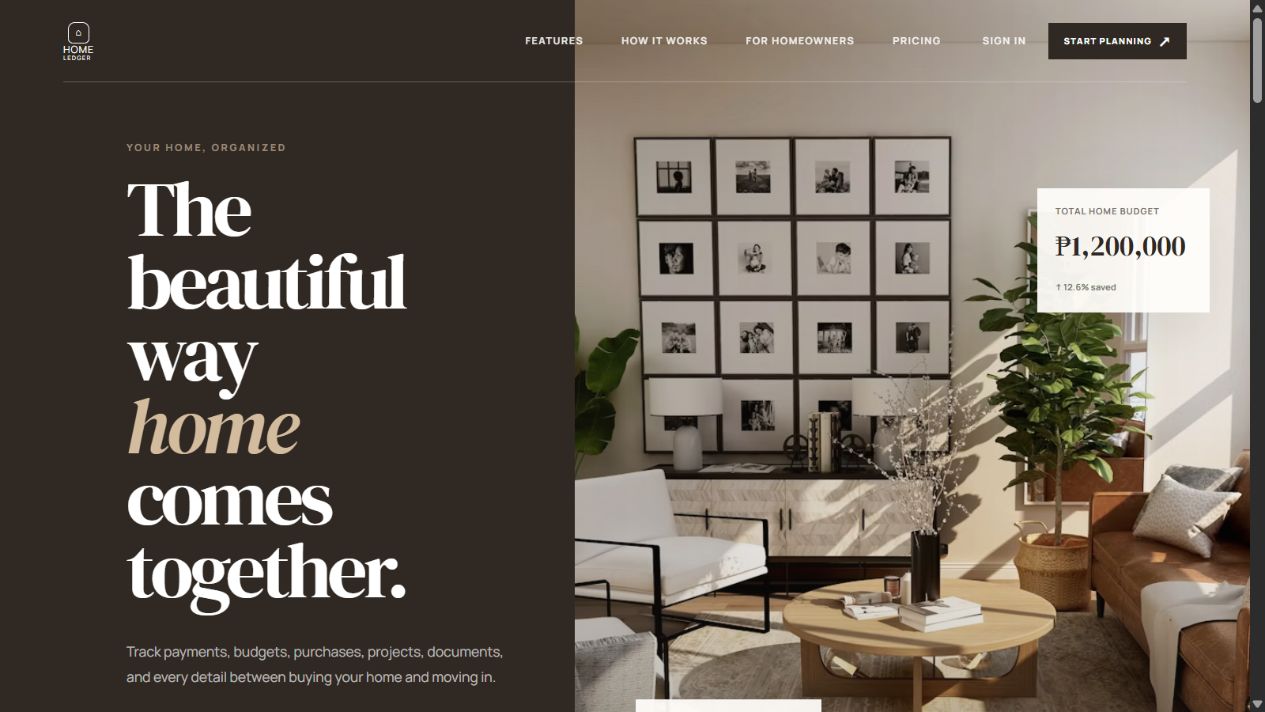
Warm typography and a home-focused visual introduce the product and its planning features.
 Let's talk
 UI/UX Product Concept
A calmer way to plan the journey from first payment to move-in day, with clear milestones, budgets, and next steps.
HOLive previewView case studyInterface story
Actual captures from the HomeLedger landing page and demo workspace.
Warm typography and a home-focused visual introduce the product and its planning features.
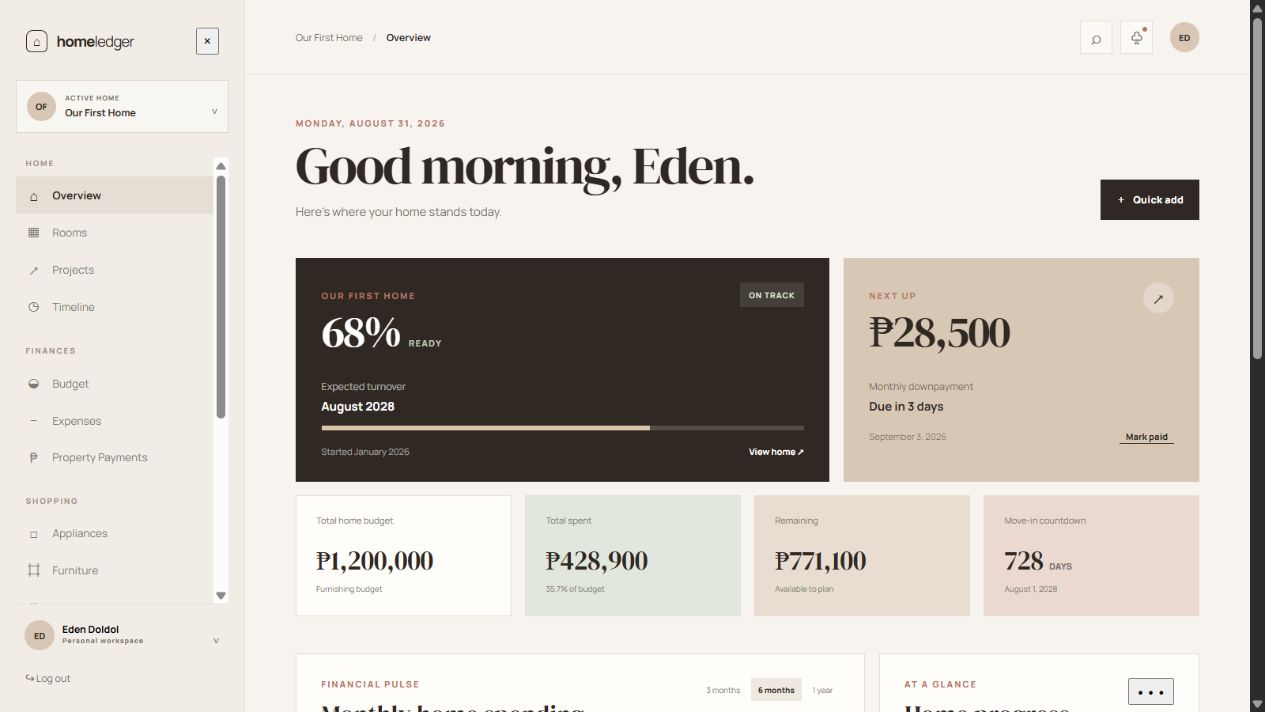
A dashboard brings the home budget, readiness, and upcoming actions into one view. Figures shown are demo data.
HomeLedger explores a clearer way to understand the financial and practical steps of preparing for a home. The live preview pairs a welcoming introduction with a demo workspace for budgets, readiness, milestones, and upcoming actions.
Home planning involves many decisions made at different times. A single total does not explain what has been completed, what is coming next, or how one decision affects the wider plan.
I organized the interface around three questions: where do I stand, what needs attention next, and how does that change the budget? The demo brings those answers into one scannable workspace.
Clear milestones, calm financial summaries, and a warm visual system help the dashboard feel less like a spreadsheet and more like a practical planning companion.
The public preview demonstrates the product direction and a connected dashboard experience. Its figures are demo data and are not presented as live personal financial records.
A useful planning tool should make the next decision clearer, not simply display more numbers.
Portfolio note. These visuals present the product direction and interface scope in a client-friendly format. Live previews and public repositories are linked where available.
Start a conversation
Have a product, platform, or engineering challenge in mind? I'd be glad to hear what you're building.
Start a conversation